--no-browser to print the URL without opening a browser (useful in headless environments).
Experiments page
List of all experiments launched by the team, sorted in chronological order. Each card contains information about the experiment name, when the experiment was created, total runtime of the experiment, and the best fitness found by the Hive. You can also add tags or notes to the experiment to help organize them.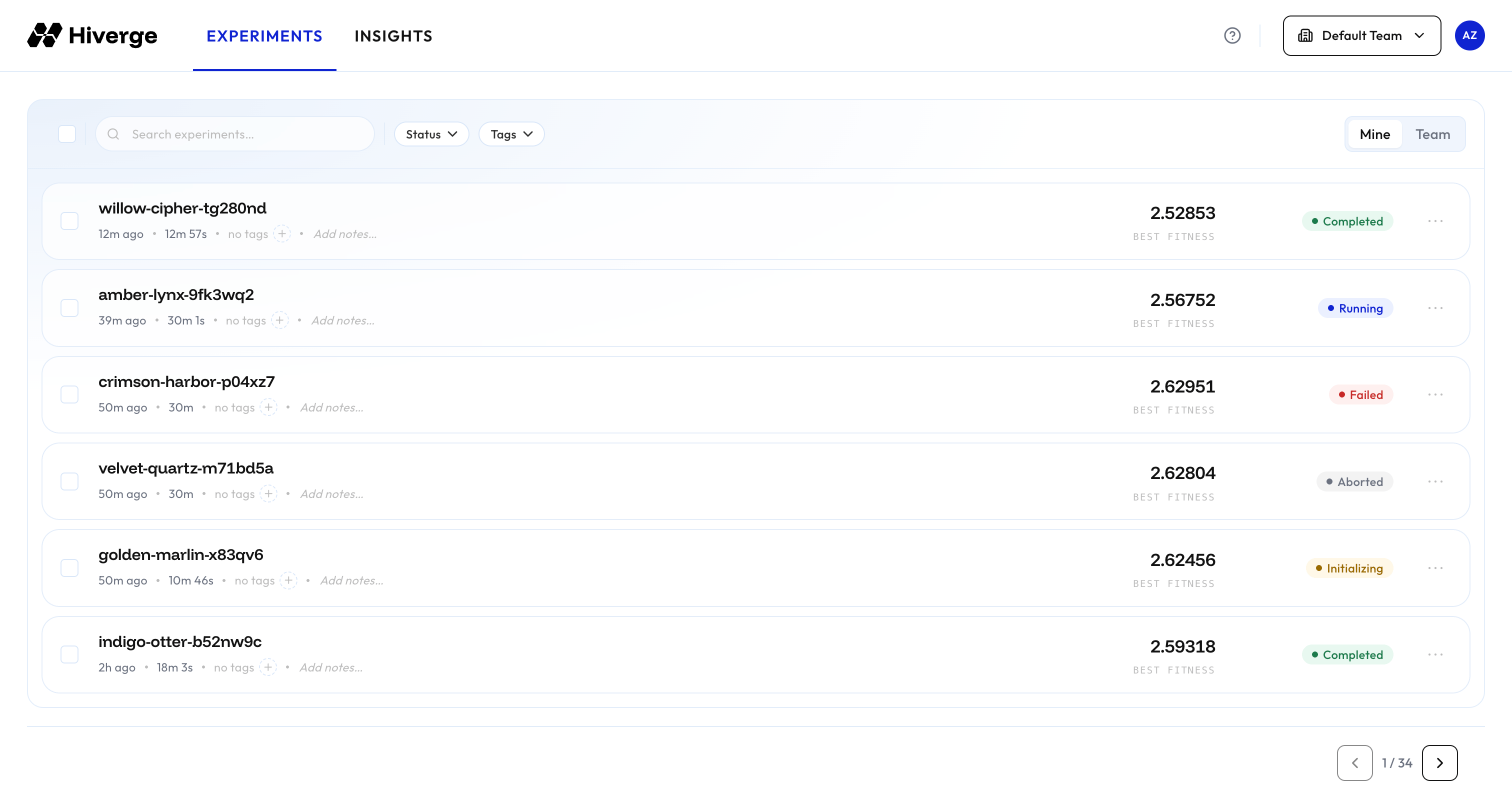
Once an experiment has been selected, it opens up a window with additional details about the experiment, split into the following four tabs.
Overview
The overview provides a high-level summary of the experiment’s progress.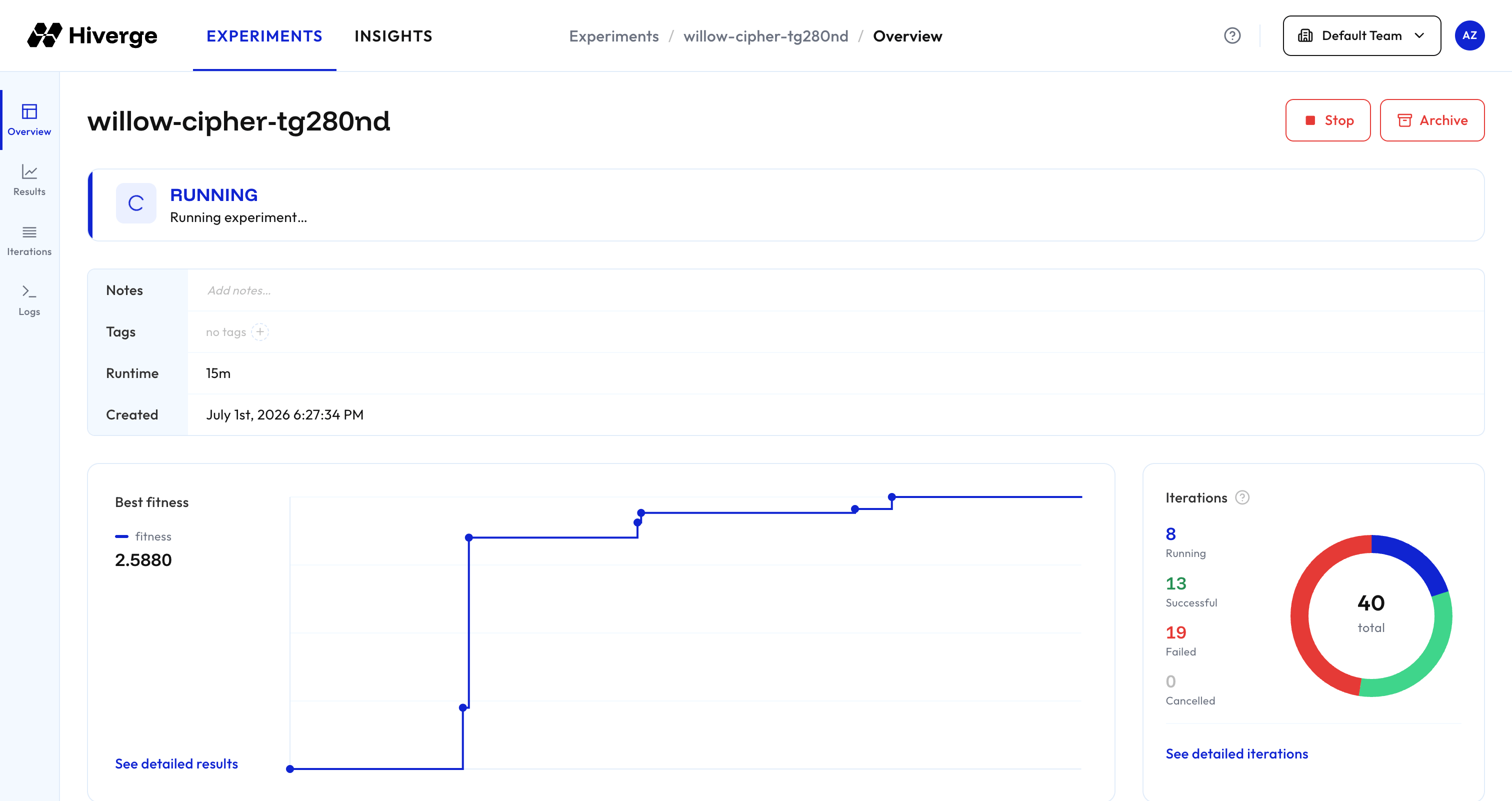
Results
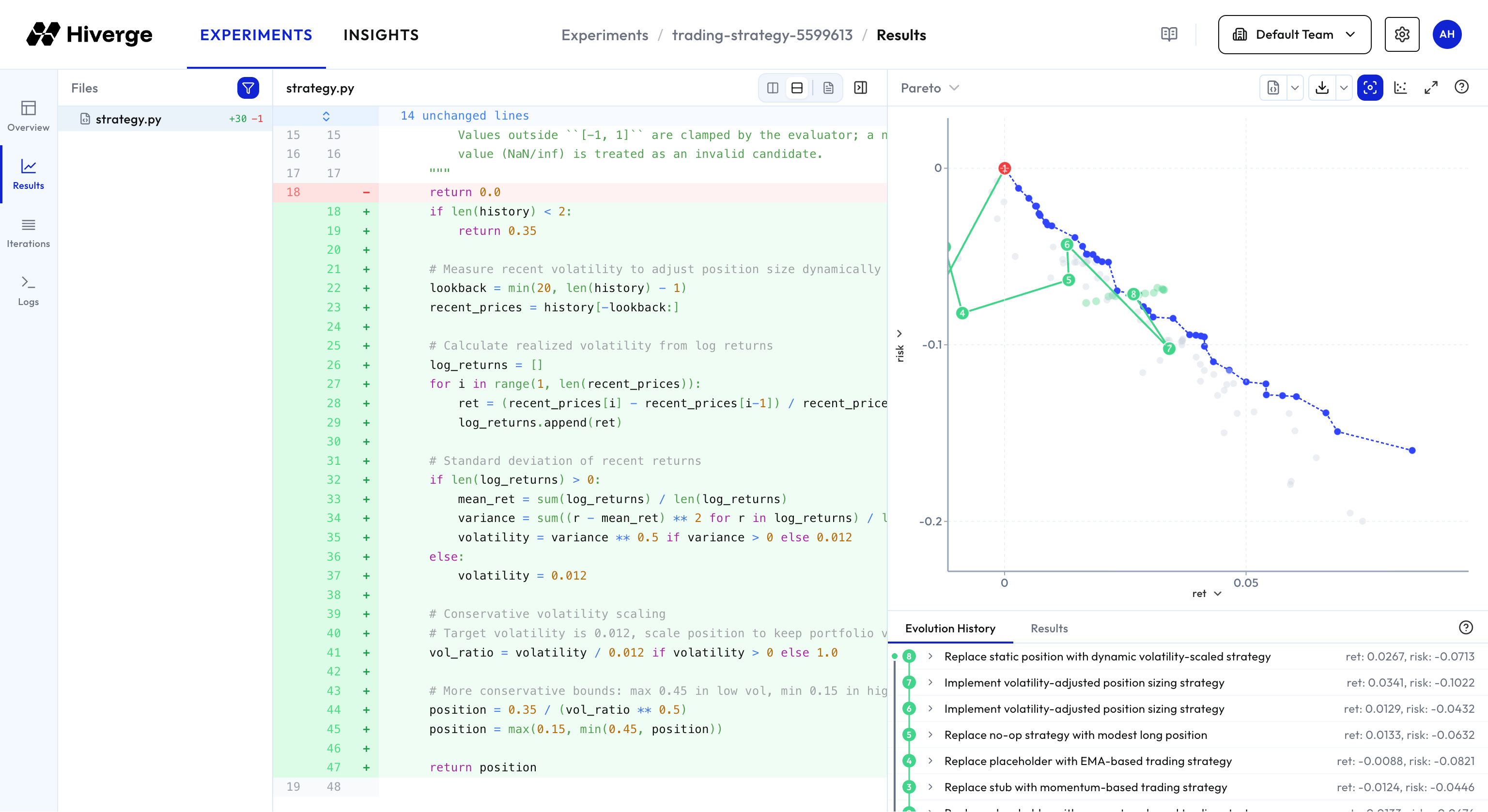
The results tab is an interactive workspace for exploring how the Hive evolves code over time. The evolution chart plots fitness across iterations — each point corresponds to one iteration of the Hive.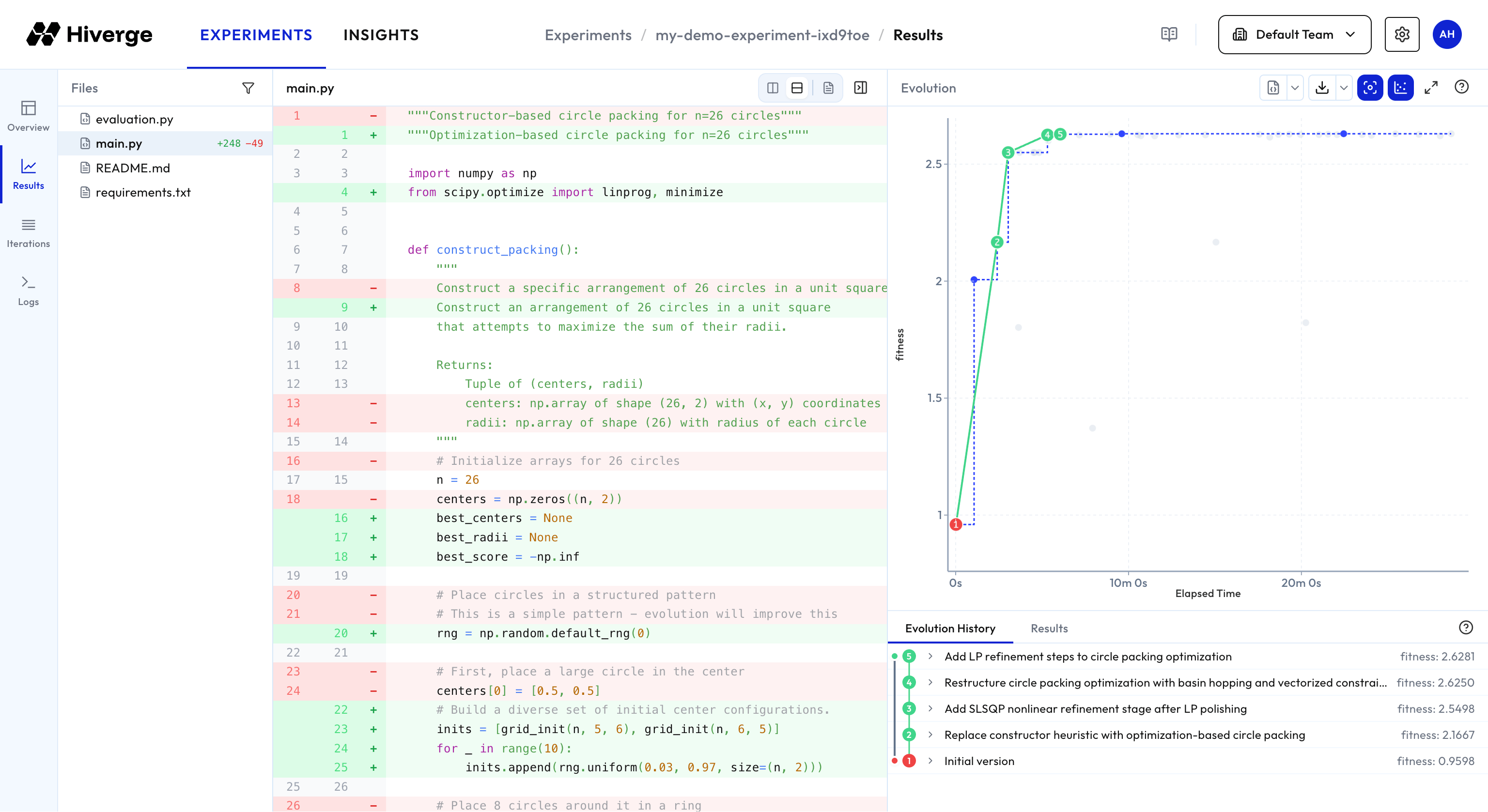
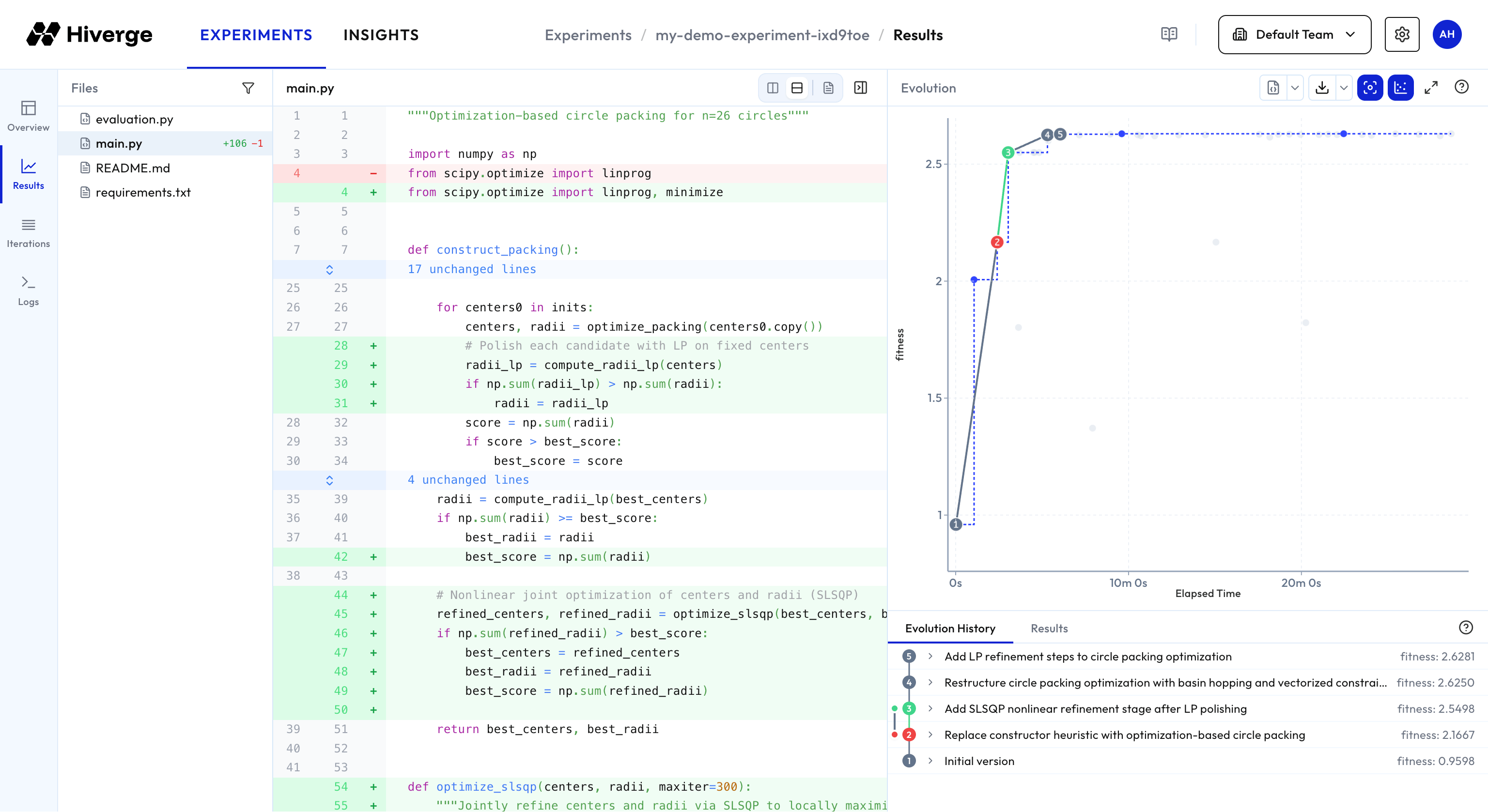
- Split diff — show the two versions side by side.
- Unified diff — show additions and removals interleaved in a single column.
- Full file — show the file whole at the selected point / end of diff range.
- Hide chart — hides the evolution chart on the right to have more room to view the code.
- Download point data — download the metadata of every point in the experiment (evaluations, descriptions and lineage), optionally with the evolved file contents.
- Download — download a zip of the repo at the currently selected point / end of diff range.
- Show full range — expand viewable range to show all points (by default the y-axis is clipped to show only points better than the initial point).
- Show all points — shows all points (by default, only points which are best-over-time and their ancestors are shown).
- Maximize — view the chart in full screen.
- Legend — colour key and shortcuts info.
Iterations
A searchable, filterable table listing every iteration with its status, duration, and timestamp. Useful for auditing specific runs or debugging failed experiments.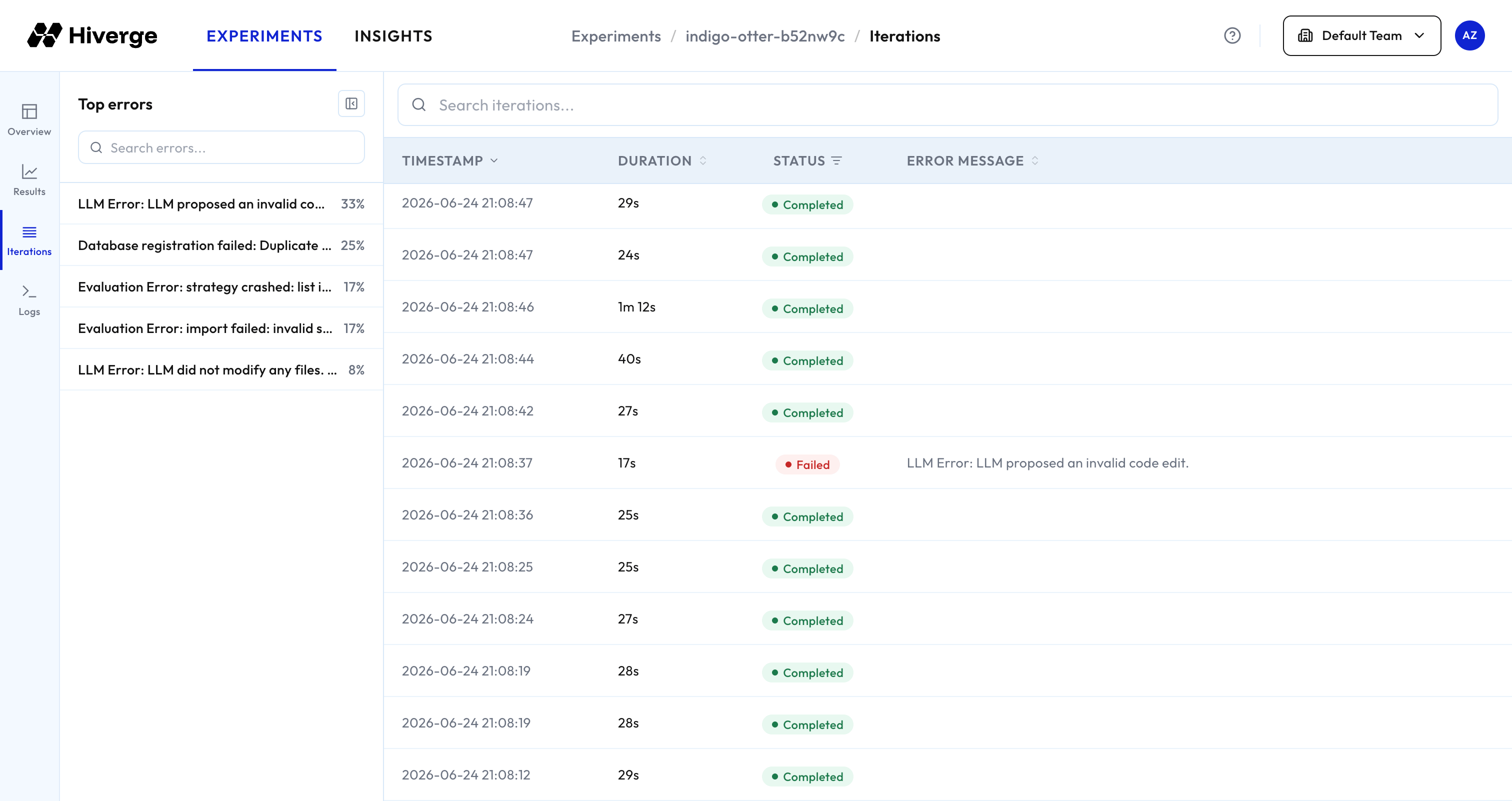
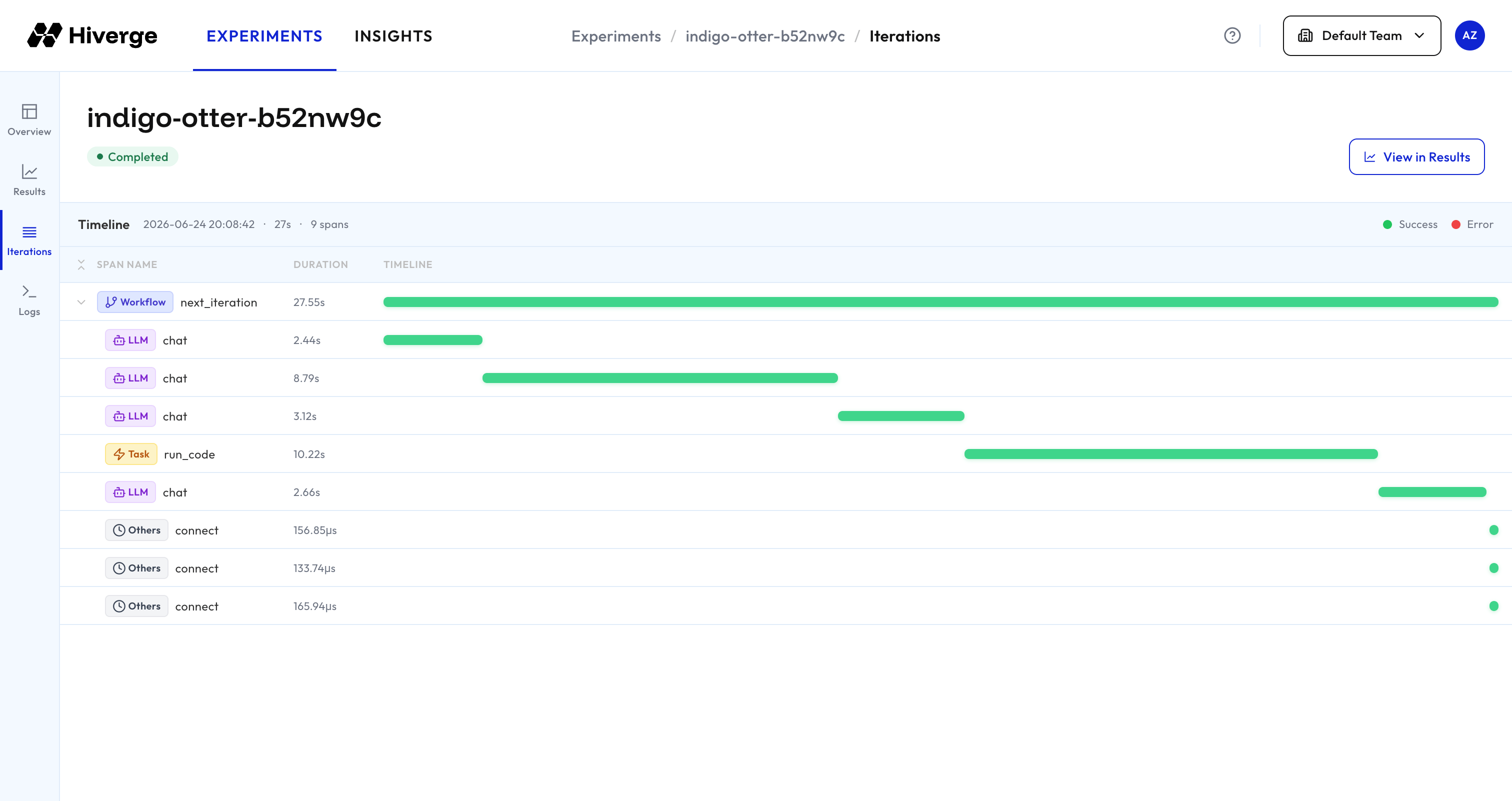
On the left is a window which groups together similar error messages to aid in debugging. Selecting a specific iteration will show more details about the iteration, including the timeline of actions performed.
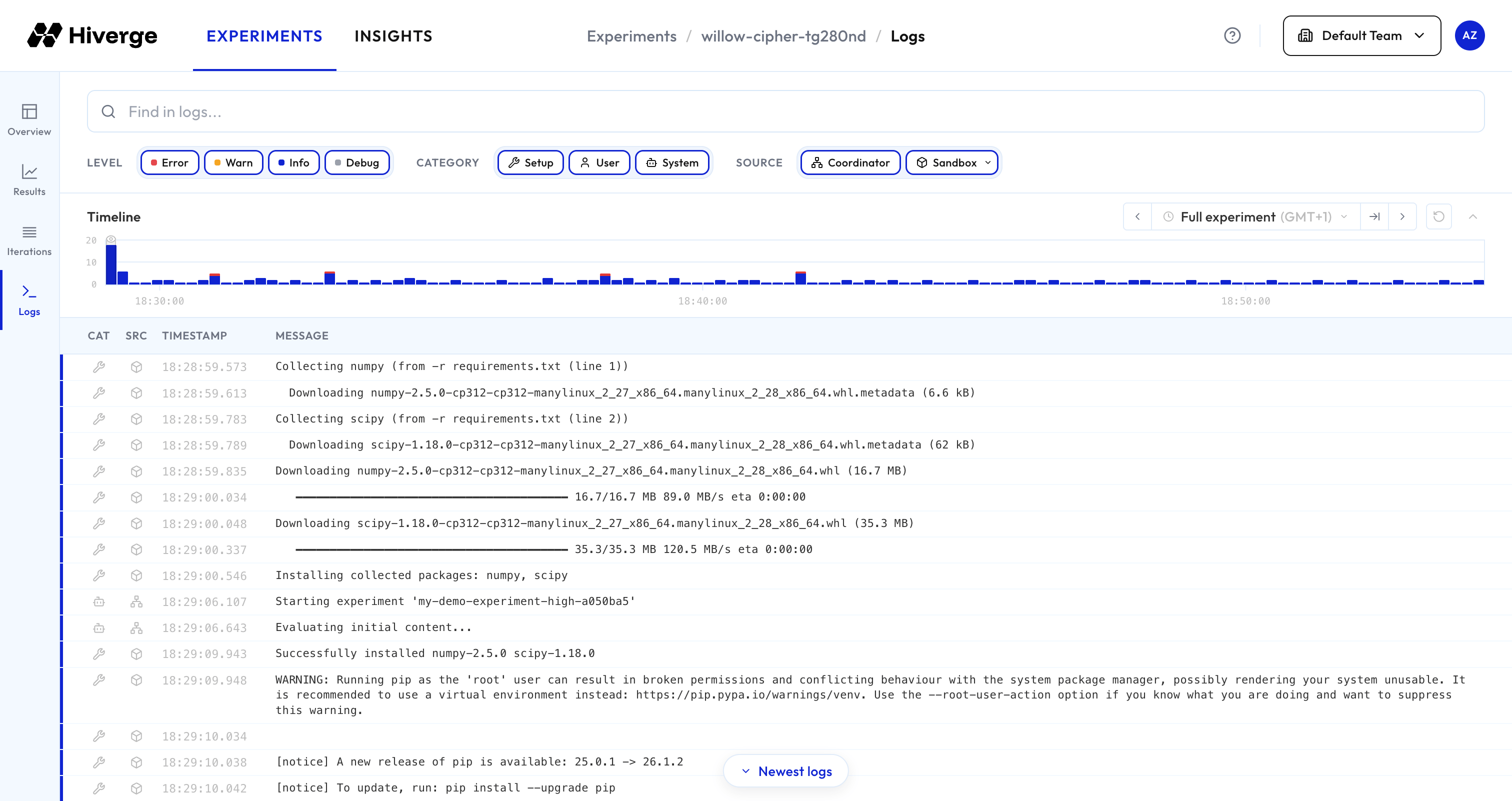
Logs
Logs associated with the experiment. There are three categories of logs:- Setup: Output of the setup script specified in
sandbox.setup_scriptin the configuration YAML. - User: Any output of the evaluator. You can view any outpout which you print in your evaluator script here to aid in debugging.
- System: Logs emitted by the Hive.
- Coordinator: Logs emitted by the Hive itself.
- Sandbox: Logs emitted by the sandboxes where the evaluators are run. By default, only logs for a single sandbox are shown. You can show logs of other sandboxes or every sandbox by clicking the dropdown.
Insights
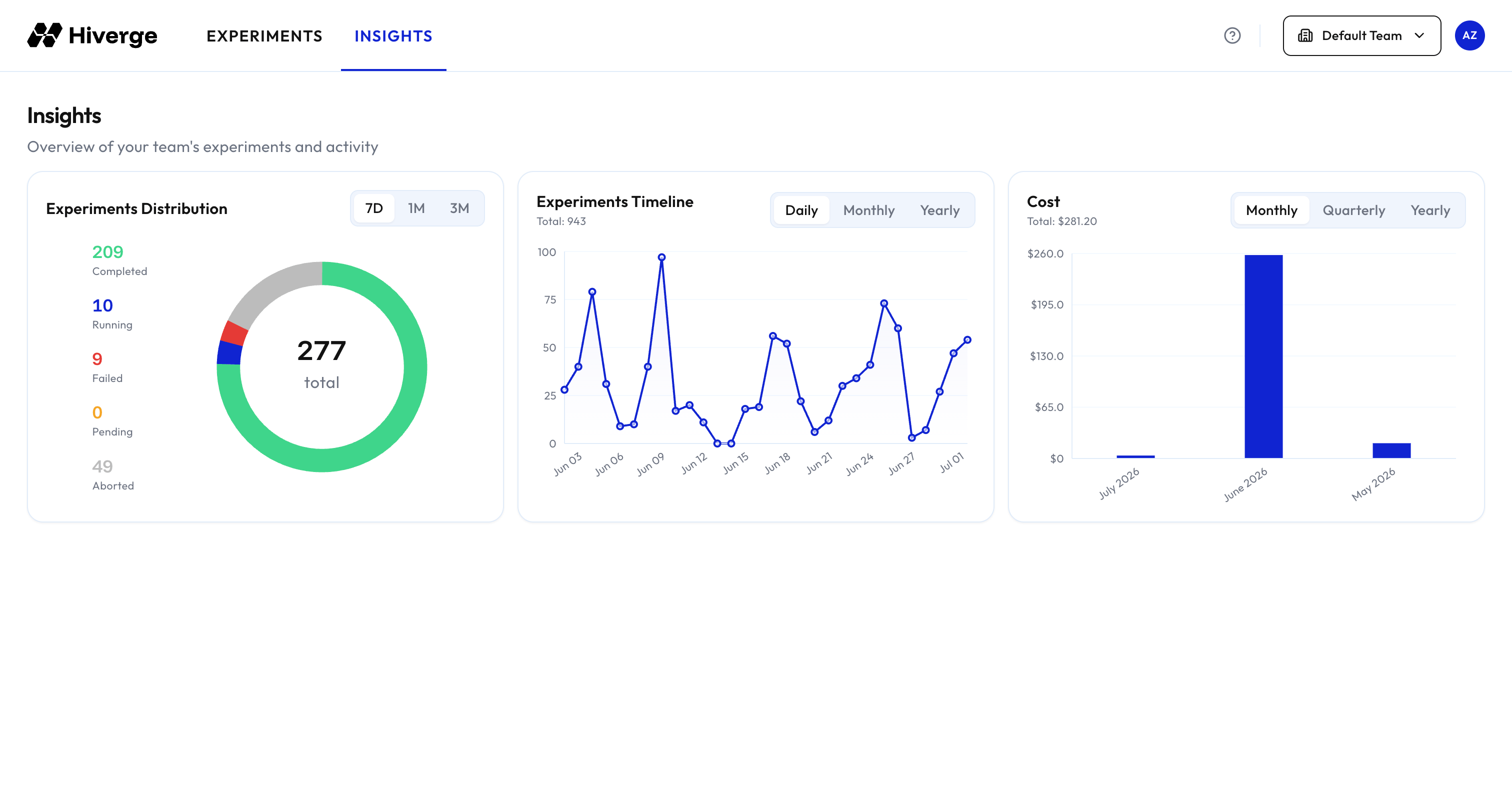
The home page shows a summary of your team’s experiment activity. Use the time range selector (e.g., 7 days, 1 month, 3 months) to adjust the window at which the data is shown for.